
The Business Revolution with
Artificial Intelligence
|
Viviseven: The Revolution in Business Artificial Intelligence Transforming How Your Company Interacts with and Understands Information


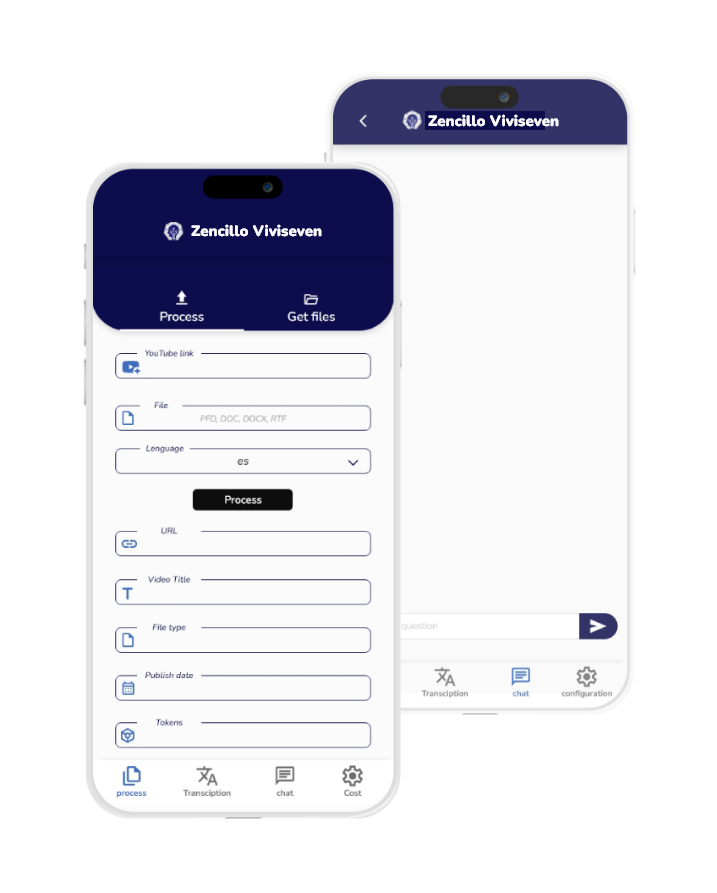
Discover how Viviseven can be the driving force behind your business success, taking your information management to the next level.
Getting Started with Viviseven
Upload and Connect Information
Viviseven is highly adaptable to multiple formats, ensuring your company faces no barriers when transferring information into the platform. From standard text documents like DOCX, HTML, RTF, Google Docs, TXT, and Markdown to more complex files such as PDF, CSV, JSON, XML, and PowerPoint presentations—Viviseven handles it all with ease.
A Connected World with Viviseven
In today’s connected world, Viviseven effortlessly integrates video and audio content from various sources. From YouTube videos and Google Meet recordings to widely used formats like MP4 and WAV, Viviseven not only stores but also processes and understands audiovisual content—providing richer context and deeper insight into your business information.
Interactive Querying
Natural Interaction and Access from Anywhere
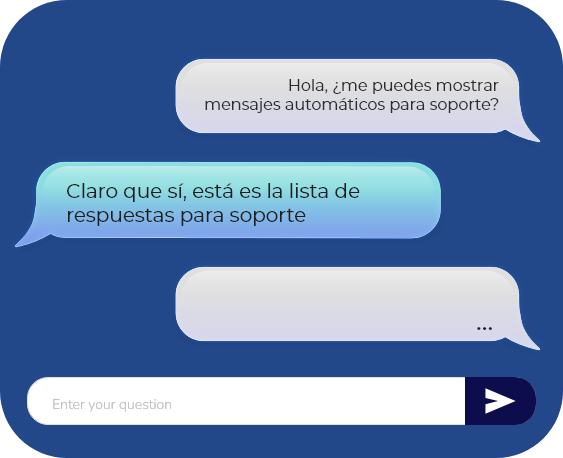
With Viviseven, interacting with your information is as easy as having a conversation. Ask questions in natural language and receive accurate responses—whether you’re exploring a specific file or conducting a global search. Plus, with dedicated apps for iOS and Android, the power of Viviseven is always with you, wherever you go.
Advanced AI
Viviseven redefines strategy with intelligent responses, relevant suggestions, and pattern recognition. Gain a competitive edge with informed decisions powered by enterprise-grade artificial intelligence.

Databases: Strategic Decisions Without Technical Barriers
Connect your databases, ask questions in natural language, and receive direct answers—complete with detailed analysis—without needing any database or SQL knowledge. Viviseven simplifies processes, enhances analytics, and empowers real-time decision-making, seamlessly integrating with your existing systems.

Intelligent Agents: Full Automation at Your Service
Maximize your company’s productivity with intelligent agents that operate like a virtual team, 24/7. Designed to work with APIs, they automate repetitive tasks, optimize operations, and adapt to your business needs. With Viviseven, save time, reduce costs, and focus on growth—while the agents handle the rest.
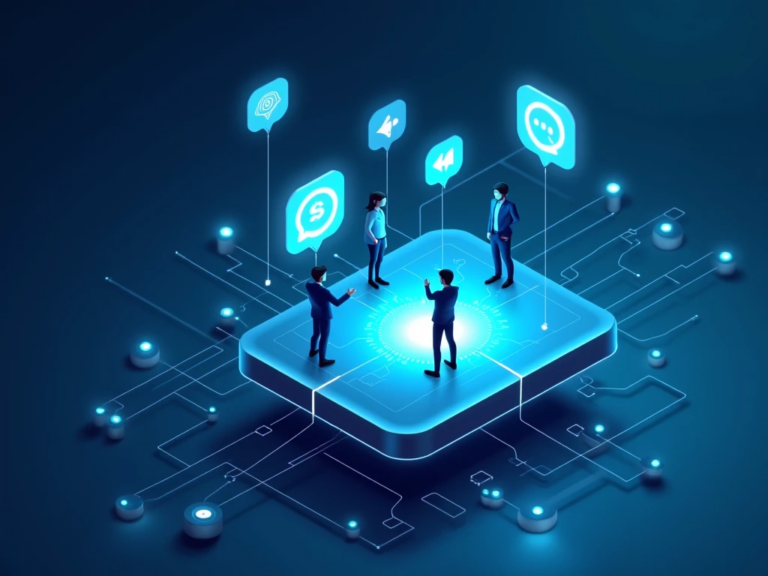
Your Business More Connected Than Evera
Viviseven extends your business reach by integrating directly with your favorite messaging channels—such as WhatsApp, Facebook Messenger, Instagram, and Telegram. This gives both your team and your customers access to the information they need, exactly when they need it.
Automate responses, check products, manage requests, and resolve questions—all without leaving these platforms.
All from a single, secure, and efficient conversational solution.
One integration, endless possibilities. That’s Viviseven.
We host all your data in a secure cloud, protected with advanced protocols and encryption to ensure the integrity and confidentiality of your information.

Success Story: Zencillo Enhances Its Support with Viviseven and Enterprise Artificial Intelligence
Zencillo has implemented Viviseven, its own enterprise AI solution, to optimize the support operations of Zencillo Gas Commander, Zencillo POS Mobile, and Zencillo Loyalty. These platforms serve over 1,500 clients, 24/7, 365 days a year.
Thanks to Viviseven:
Service quality improved by 48%, delivering faster and more accurate responses.
The need to escalate cases to higher-level support decreased by 53%, freeing up the team for strategic tasks and significantly increasing customer satisfaction.
With this technological foundation, Zencillo strengthens its leadership by delivering effective solutions and a more efficient service.

Viviseven is developed, maintained, and supported by Sevencloud Software, a company based in Miami, United States, with a presence in 6 Latin American countries under the Zencillo brand. Sevencloud serves over 1,500 major clients and has a specialized AI team. Through its various products, it processes more than 8 million invoices per month.
Frequently Asked Questions
What is Viviseven and how can it benefit my business?
Viviseven is an advanced platform powered by artificial intelligence, designed to transform the management, consultation, and analysis of business information. It combines innovative tools such as file transcription, summary generation, AI-powered chat interaction, and intelligent agents that automate key processes. All of this while ensuring high standards of security and confidentiality for processed information.
Benefits for your business:
- Time Optimization: Automatically transcribes, organizes, and analyzes business content from multiple formats such as documents, videos, and audio, eliminating manual and repetitive tasks.
- Informed Decision-Making: Thanks to its natural language interactive query capability, Viviseven allows you to quickly access key data for analysis and strategic decisions.
- Process Automation: With its intelligent agents, it can perform tasks such as database queries, report generation, and automatic notifications, improving operational efficiency.
- Scalability: Adaptable to different company sizes and specific needs, offering flexible plans for small, medium, and large organizations.
- Secure Access from Anywhere: With iOS and Android apps, your team can interact with information securely and in real time, regardless of location.
- Cost Savings: By automating processes and reducing dependence on human resources for repetitive tasks, Viviseven helps lower operational costs and boost productivity.
In summary, Viviseven drives your company’s digital transformation by simplifying processes, optimizing resources, and providing intelligent tools to manage information more efficiently and strategically.
What types of files can I process with Viviseven?
Viviseven is a versatile platform that allows you to process a wide range of file formats, ensuring your business can efficiently integrate and analyze information from various sources. Below is a list of supported file types:
Text Documents
- Microsoft Word: .docx
- Plain Text: .txt
- Rich Text Format (RTF): .rtf
- Markdown: .md
- HTML: Web page files and code
Presentations and Data Files
- PDF: Ideal for scanned documents and reports
- PowerPoint: .pptx for presentations
- CSV: Structured data in table format
- JSON and XML: Configuration files and data structures
Audio-Visual Content
- Videos:
- YouTube: Download and transcribe videos via URL
- Google Drive: Process videos stored in shared folders
- Google Meet Recordings: Transcribe meeting recordings saved in Drive
- YouTube: Download and transcribe videos via URL
- Audio Files: Supports formats such as .mp3 and .wav
Images
- Image Files: Upload images to extract text or link them with previously processed information
Database Connectivity
- Viviseven can connect to enterprise databases, allowing you to run natural language queries and get detailed analyses—no advanced technical skills required.
Additional Details
- Regardless of the file type, Viviseven is designed to handle large volumes of data, ensuring accurate transcriptions, summaries, and analyses.
With these capabilities, Viviseven becomes an all-in-one solution to centralize, process, and utilize key data from multiple sources—including virtual meetings like those on Google Meet—enhancing your company’s efficiency and decision-making.
Can I upload and transcribe videos from YouTube and Google Drive?
Yes! With Viviseven, you can upload and transcribe videos from both YouTube and Google Drive, enabling efficient processing of audiovisual content and converting it into text for analysis and queries. Here’s how it works:
Transcribing Videos from YouTube
- Simply copy the URL of the YouTube video you want to process.
- Paste the URL into the Viviseven platform.
- Select the video’s language and other settings such as area, level, and category.
- Viviseven will automatically transcribe the video content and organize it for easy analysis.
Transcribing Videos from Google Drive
- Share the Google Drive folder containing the video with your company’s registered email address (configurable in Viviseven).
- Provide the video’s title and shared link within the platform.
- Configure the necessary parameters (language, area, level, category).
- Viviseven will process the video, transcribe it, and provide access to the content in text format.
What types of videos are supported?
- Recorded Google Meet meetings
- Video files in popular formats such as .mp4, .mov, and more
Benefits of this functionality:
- Quick and easy access to key information contained in videos
- Use of transcribed content for natural language queries via Viviseven’s chat
- Ability to generate summaries to speed up the analysis of complex data
With this feature, Viviseven breaks down the barriers of audiovisual content, turning it into actionable data that’s accessible from anywhere.
How secure is the platform for protecting my business information?
Information security is a top priority for Viviseven. The platform is built with multiple layers of protection to ensure your data is always safeguarded against unauthorized access and potential vulnerabilities. Here’s how we do it:
Certified API with Penetration Testing
What is a Pentest?
A Penetration Test (Pentest) is a thorough security assessment conducted by experts who simulate attacks to identify vulnerabilities in a system. Our API has been certified through this process, ensuring it meets the highest security standards and is prepared to withstand external threats.
Frontend Under Certification Process
Viviseven’s frontend is currently undergoing certification to comply with strict security standards, ensuring comprehensive protection across both backend systems and the user interface.
Secure Communication with HTTPS and JWT
- HTTPS (Hypertext Transfer Protocol Secure):
All communication between users and the platform is conducted through HTTPS, a protocol that encrypts data in transit to prevent interception or tampering by third parties. - JWT (JSON Web Token):
Viviseven uses JWT to authenticate and authorize requests between client and server. This ensures that only authorized users can access resources, adding an extra layer of control and protection.
Data Encryption
All data processed by the platform—whether in transit or at rest—is encrypted. This means that even in the unlikely event of unauthorized access, the information would be unreadable without decryption keys.
Secure Google Cloud Infrastructure
Viviseven operates on Google Cloud’s secure and scalable infrastructure, leveraging key security features such as:
- API Gateway:
Acts as a gatekeeper to regulate access to the API, filtering, authenticating, and validating traffic before it reaches core services. - Firewall:
Blocks malicious or unauthorized traffic, preventing access to the internal network. - VPC (Virtual Private Cloud):
Our private virtual network segments resources and isolates critical services, reducing exposure to external threats.
Containerization and Isolation
Viviseven uses container technologies (such as Docker) to ensure that each system component operates in isolation. This limits the impact of potential issues, as each container runs independently and securely.
Continuous Monitoring and Updates
The system is continuously monitored to detect and prevent threats in real time. Security updates are regularly implemented to protect the platform against emerging vulnerabilities.
In Summary
Viviseven ensures the security of your business information through a comprehensive approach that includes technologies such as Pentest certification, HTTPS, JWT, data encryption, Google Cloud infrastructure, API Gateway, firewalls, VPC, and containerization. These measures guarantee your data is protected at all times, giving you the peace of mind your business needs.
How Does the AI-Powered Interactive Chat Work?
Viviseven’s interactive chat is designed to make interacting with your information as easy as having a conversation. Using advanced AI technology, the chat provides an intuitive, efficient, and adaptable experience tailored to your business needs. Here’s how it works:
Natural Language Interaction
The chat allows you to ask questions using natural language, just as if you were speaking with a human assistant. You don’t need to know technical terms or specific commands, as the AI interprets your questions and retrieves the most relevant answers from the stored information.
Example:
Question: “What are the top clients in our sales area?”
Chat response: “In the last quarter, the top clients by purchase volume are: Client A, Client B, and Client C.”
Access to Processed Information
The chat can answer questions based on information previously uploaded and processed on the platform, including:
Documents: Transcriptions from Word, PDF files, and more.
Audio and Video: Content processed from YouTube, Google Drive, and Google Meet meetings.
Databases: Automatic queries to connected databases without needing to write SQL codes.
Semantic Analysis and Contextual Responses
The AI analyzes not just the keywords in your query but also the overall context. This allows the chat to provide complete, relevant, and business-aligned responses.
Example:
Query: “What does the financial report say about marketing revenue?”
Response: “The report indicates that the marketing area generated $200,000 in revenue last quarter, with a 15% increase compared to the previous one.”
Integration with Images and Multimedia Data
You can upload images directly to the chat. The platform analyzes the images and correlates their content with documents or existing information to respond to specific queries.
Example:
Upload an image of a graphic report and ask: “What trends does this graph show related to sales?”
Chat Sessions Functionality
You can create specific sessions configured by area, category, and company level, allowing for a more organized and segmented approach to queries. Active sessions keep the conversation history, making it easier to follow up on previous questions and delve into topics.
Database Mode
The chat can also operate in database mode, allowing direct queries on connected databases. Using natural language, it automatically generates SQL queries, interprets the results, and presents them in an easy-to-understand format.
PDF Generation
The chat history can be downloaded as a PDF, which is useful for documenting conversations, generated reports, or key queries made on the platform.
In Summary
Viviseven’s interactive chat combines AI technology with natural language processing, semantic analysis, and database connectivity to provide precise, relevant, and contextual answers in real-time. Whether you need to consult documents, analyze data, or answer specific questions, the chat transforms the way your company interacts with information, making it faster, more intuitive, and efficient.
What sets Viviseven apart from AI platforms like ChatGPT, Gemini, or LLaMA 3?
While Viviseven and platforms such as ChatGPT, Gemini, or LLaMA 3 all use advanced artificial intelligence, Viviseven is specifically designed for business operations, with unique features that clearly distinguish it from more general-purpose AI models. Here are the main differences:
Business-Focused Intelligence
Viviseven is not a general AI model—it’s a business-centric platform built for managing enterprise information. While tools like ChatGPT are designed for broad, open-ended conversations, Viviseven:
Processes and organizes business-specific content
Integrates documents, databases, and multimedia
Allows natural language queries based on previously uploaded internal data
Example:
While ChatGPT may answer general knowledge questions, Viviseven can respond to:
“What was the net profit according to our uploaded financial report?”
“What key points were mentioned in our last Google Meet recording?”
Seamless Integration with Enterprise Systems
Viviseven connects directly to your company’s internal infrastructure:
Business Databases: It auto-generates SQL queries and delivers easy-to-understand summaries.
Document & Media Uploads: Supports content from Google Drive, YouTube, and internal files.
Smart Agents: Automates repetitive processes such as reporting, alerts, and data monitoring.
In contrast, platforms like ChatGPT or Gemini don’t provide out-of-the-box connections to internal systems and require additional, often complex, custom implementations.
Enterprise-Grade Security and Data Control
Viviseven prioritizes your company’s data privacy and security with:
Pentested API certification: Ensures robust protection against vulnerabilities
Data encryption and secure communication: Uses HTTPS and JWT for secure data transfer
Hosted on Google Cloud: Includes VPC isolation, firewalls, and API Gateway control
Other platforms like ChatGPT or LLaMA 3 may not offer full control over data location or handling, and may require external setups to meet enterprise security standards.
Advanced Features Designed for Business Use
Viviseven delivers purpose-built functionality that general AI tools lack:
Specialized Transcriptions: Converts videos, audios, and documents into structured, searchable content
Hierarchy Management: Organizes company information by level, department, or category
Business Semantic Analysis: Answers context-aware questions using uploaded business content
While models like Gemini or LLaMA 3 are powerful, they don’t natively support structured business information management without additional customization.
Automation of Business Processes
Viviseven includes intelligent agents that:
Operate autonomously via API connections
Generate detailed reports automatically
Send alerts via WhatsApp or email
Streamline recurring workflows and reduce manual tasks
This level of automation isn’t natively available in platforms like ChatGPT or Gemini.
Scalability and Customization
Viviseven adapts to your company’s size and needs:
Custom licensing options based on user count and features required
Easy integration with existing enterprise tools and platforms
Dedicated support and expansion plans tailored to your growth
General-purpose AI tools don’t offer this level of direct customization and support.
In Summary
Viviseven is more than an AI assistant—it’s a complete platform built to transform enterprise operations. While platforms like ChatGPT, Gemini, or LLaMA 3 are great for general interactions or foundational AI development, Viviseven excels by offering:
Business-specific functionality
Enterprise-grade security
Seamless system integration
Process automation
Customization and scalable support
It’s the ideal solution for companies seeking a tailor-made AI platform built around their operations.
Can I integrate Viviseven with my company’s databases?
Absolutely. Viviseven enables direct integration with your company’s databases, allowing you to query and analyze stored information effortlessly—no advanced technical skills required. This feature is designed to optimize decision-making and streamline access to critical business data.
How does database integration work?
Initial Setup:
Within the Integrations section, you can register your database by providing key details such as:
Database type (MySQL, PostgreSQL, SQL Server, and more)
Host, port, database name, username, and password
Assign relevant departments, roles, and categories to organize access
Secure Connection:
Viviseven uses HTTPS and data encryption to ensure secure communication between the platform and your database.
Integration is protected with multiple security layers including API Gateway, firewalls, and Virtual Private Networks (VPCs).
Smart Queries:
Once connected, you can make natural language queries directly from the interactive chat. There’s no need to write SQL commands—Viviseven’s AI automatically generates the necessary queries and presents the results in a clear, easy-to-understand format.
Example:
Question: “What were the sales by product last quarter?”
Response: “Sales last quarter were: Product A: $10,000, Product B: $8,500, Product C: $7,200.”
Key Benefits of Integrating Your Database with Viviseven
Real-Time Access:
Instantly access up-to-date information without manual exports or data processing.Simplified Analysis:
Viviseven not only retrieves data but also applies semantic analysis to deliver meaningful summaries and actionable insights.Automation with Smart Agents:
Agents can perform repetitive tasks directly in your database—such as generating reports, sending alerts, or extracting key data—automatically.Data Security and Confidentiality:
Only authenticated users can access information.
All communication is encrypted and governed by hierarchical roles and permissions.
What Databases Are Supported?
Viviseven supports the most widely used databases in enterprise environments, including:
MySQL
PostgreSQL
SQL Server
Oracle Database
MariaDB
And other databases using standard SQL protocols
In Summary
Viviseven not only connects to your business databases—it redefines how you interact with them. With intuitive querying, real-time access, advanced security, and automation capabilities, your company can harness data more effectively and make strategic decisions faster than ever before.
How Are Levels, Departments, and Categories Configured and What Are They Used For?
In Viviseven, levels, departments (áreas), and categories are essential components for organizing, managing, and restricting access to business information in a hierarchical and segmented way. These settings allow the platform to be customized based on the structure and specific needs of each company—streamlining data flow while ensuring secure and appropriate access control.
Levels
What are levels?
Levels define the organizational hierarchy and determine each user’s access permissions.
The higher the numerical level, the broader the access and control over business data.
What are levels used for?
Define which information each user can access.
Users with a higher level can view data from their level and below—but not from higher levels.
Example:
A manager with Level 3 can access data from Levels 1, 2, and 3, but not from Level 4 or above.
How to configure:
Go to Settings > Levels to create, edit, or delete levels.
Assign each level a name and numeric value to establish its hierarchy.
Departments (Áreas)
What are departments?
Departments represent business units or divisions within your organization—such as Sales, HR, or Finance—and group information relevant to each functional area.
What are departments used for?
Organize information based on the company’s internal structure.
Ensure that each department accesses only the data it needs.
Example:
The Sales department will have access to client reports and billing, while HR manages employee records and contracts.
How to configure:
Go to Settings > Departments to create or edit entries.
Assign a name and link relevant information or files to each department.
Categories
What are categories?
Categories further classify the types of information within each department—offering a more detailed segmentation.
For example, within the Sales department, categories could include Leads, Sales History, or Product Listings.
What are categories used for?
Filter and locate specific information within a department.
Provide a clear structure for users to quickly find relevant data.
Example:
A user can browse the Sales department and filter by the Products category to retrieve inventory reports.
How to configure:
Go to Settings > Categories to create or modify entries.
Link categories to specific departments and levels as needed.
Benefits of Using Levels, Departments, and Categories
Efficient Organization:
Keeps business data neatly structured and accessible.Access Control:
Restricts information based on user roles, department, and type of data.Targeted Queries:
Users can search and query only the information they’re authorized to see.Enhanced Security:
Ensures that every user accesses only what’s necessary for their role.
In Summary
Levels, departments, and categories are core tools in Viviseven that help structure, protect, and segment business information. Proper configuration ensures that users access only the data relevant to their role—improving operational efficiency, information security, and overall enterprise management.
Do I Need Technical Knowledge to Use Viviseven?
No. Viviseven is designed to be intuitive and user-friendly, so no advanced technical knowledge is required to take full advantage of its features. With a clean interface and AI-powered capabilities, any user can interact with the platform naturally and efficiently.
What Makes Viviseven Accessible for Everyone?
Natural Language Interaction
Users can ask questions in plain, everyday language—no coding or technical commands needed.
Examples:
“What were last month’s sales?”
“What does the latest marketing report say?”
Guided Processes
Viviseven walks users through each step—from uploading files to setting up chats or configuring integrations.
Example: When uploading a file, Viviseven clearly prompts users to select the language, category, and access level.
Intuitive Interface
A clean and organized layout makes it easy to navigate features like:
Transcriptions
Queries
User management
Data integrations
Menus and buttons are clearly labeled to avoid confusion.
Automated Processes
Viviseven’s smart agents automate complex tasks like:
Querying databases
Generating detailed reports
Sending notifications
This removes the need for users to handle technical configurations.
Built-in Support
The platform offers integrated support directly from the application:
WhatsApp Chat: Instant help for quick questions
Tutorials & Documentation: Step-by-step guides for each feature
What If Advanced Configuration Is Required?
For businesses with more complex needs—like database integrations or smart agent customization—Viviseven provides:
Expert Technical Support: A dedicated team to assist with advanced setups
Training Resources: Courses and guides to help teams get the most from the platform
In Summary
Viviseven is built for simplicity—so any user can access and manage business information without technical expertise. Thanks to its intuitive design, guided workflows, and automation features, interacting with data is easy and efficient. And for advanced needs, expert support is always available.
What Are Intelligent Agents and How Do They Improve Productivity?
Intelligent agents in Viviseven are AI-powered virtual assistants designed to automate repetitive tasks, manage large volumes of data, and optimize business processes without human intervention. These agents act as a virtual team that operates 24/7, significantly improving business efficiency and productivity.
What Do Intelligent Agents Do?
Automatic Analysis and Reporting
They generate detailed reports based on data from documents or connected databases.
They analyze large volumes of information to identify key patterns and trends.
Example:
“Generate a daily sales report by region.”
The agent provides a structured report with relevant data and graphics.
Automatic Database Queries
They perform queries in natural language and generate SQL statements automatically.
They present results that are clear and easy to interpret.
Example:
Question: “How many new customers did we register this month?”
Answer: “This month, 150 new customers were registered.”
Automated Notifications and Communications
They send personalized notifications and reports via email or WhatsApp to the responsible parties.
They alert about important events or pending tasks.
Example:
“Notify the logistics team about an urgent order.”
Automation of Repetitive Processes
They perform administrative tasks like document sorting, data updates, or sending emails.
This frees up employees from manual tasks, allowing them to focus on strategic activities.
Continuous Adaptation
They learn from interactions and adjust their behavior to improve over time.
They adapt to the changing needs of the business, offering more relevant solutions.
How Do They Improve Productivity?
Time Savings
By automating repetitive tasks, agents significantly reduce the time needed to complete them.
Accuracy and Consistency
They minimize human errors by executing tasks with precision and consistency.
24/7 Availability
Agents are always active, ensuring that critical tasks are completed even outside regular working hours.
Resource Optimization
They allow teams to focus on strategic, high-value activities while handling routine operations.
Scalability
As the business grows, agents can handle an increasing volume of tasks without the need for additional staff.
Example of Use in a Business:
An intelligent agent can:
Automatically download invoices from a system.
Analyze the figures and generate a financial report.
Send the report to the accounting department and notify any irregularities via WhatsApp.
In Summary
Viviseven’s intelligent agents are a powerful tool for automating business processes, reducing costs, eliminating manual tasks, and increasing operational efficiency. They act as an tireless virtual team that enables your business to operate faster, more accurately, and at scale, transforming business productivity.
Can I Use Viviseven on Mobile Devices?
Yes! Viviseven is available on mobile devices with dedicated apps for iOS and Android, allowing you to access all the platform’s features from your smartphone or tablet. This ensures that you can manage and query your business information from anywhere, at any time.
What Can I Do on My Mobile Device with Viviseven?
Query and Manage Information
Access the interactive chat to perform natural language queries on documents, videos, audios, or connected databases.
View, transcribe, and summarize files directly from your device.
Upload and Process Files
Upload documents, videos, or audios from your mobile or from connected platforms like Google Drive and YouTube.
Set up areas, categories, and levels to organize information from anywhere.
Automation with Intelligent Agents
Configure and monitor automated tasks directly from your mobile.
Receive real-time notifications and reports generated by intelligent agents.
Receive Notifications and Alerts
Stay informed with instant notifications about completed processes, generated reports, or relevant updates.
Technical Support and Assistance
Access integrated support in the app or contact the support team directly via WhatsApp.
Advantages of Using Viviseven on Mobile Devices
Portability
Maintain full control over your business information while on the go, without needing a computer.
Accessibility
Available anywhere with an internet connection, ensuring continuous management of your business processes.
Security
All interactions in the mobile app are protected by HTTPS, with authentication via JWT and data encryption.
Optimized Interface
A design tailored for small screens makes navigating and using the app simple and intuitive.
How to Start Using Viviseven on Your Mobile
Download the app from the App Store (iOS) or Google Play Store (Android).
Log in with your registered username and password.
Set up your company by entering the Zencillo ID.
Explore and use the features to manage your information efficiently.
In Summary
Viviseven on mobile devices provides the flexibility to manage your business information from anywhere, with fast, secure access and full features at your fingertips. It’s an ideal tool for businesses looking to stay connected and productive at all times.
What Subscription Plans Are Available and What Do They Include?
Viviseven offers three subscription options designed to meet the needs of businesses of different sizes and demands. Additionally, you can try the platform with a free demo version to explore its benefits before committing to a plan.
Free Demo Version
Duration: 30 days at no cost.
Capabilities:
Upload up to 4 documents or videos of 200 pages/hours.
Make up to 50 daily queries to the interactive chat.
Ideal for: Companies that want to explore Viviseven’s features before choosing a plan.
Basic Plan
Cost: $10 USD per user per month.
Includes:
Upload up to 20 documents or videos of 200 pages/hours per company.
Make up to 100 daily queries to the chat per user.
Connect to databases with up to 50 daily queries per user.
Link up to 5 intelligent agents, each capable of performing up to 60 daily tasks.
Ideal for: Small and medium-sized businesses looking to optimize information management on a budget.
Advanced Plan
Cost: $25 USD per user per month.
Includes:
Upload up to 60 documents or videos of 200 pages/hours per company.
Make up to 300 daily queries to the chat per user.
Connect to databases with up to 150 daily queries per user.
Link up to 15 intelligent agents, each capable of performing up to 180 daily tasks.
Ideal for: Companies with higher data volumes and advanced automation needs.
Additional Services and Customization
Custom Models: If your company requires specific capabilities, Viviseven’s team can design a plan tailored to your needs.
Training: Specialized training to maximize platform usage.
Integrations: Integration with existing tools and platforms in your company.
Extended Support: Additional service for personalized assistance.
Benefits of Viviseven Plans
Scalability: Options that adjust as your company grows.
Automation: Inclusion of intelligent agents that optimize processes.
Unlimited Access: To advanced transcription, query, and analysis tools.
Flexibility: Ability to customize features according to your needs.
In Summary
Viviseven offers a flexible solution adapted to the needs of each company, with accessible plans for small businesses and advanced capabilities for larger organizations. Additionally, the free demo version allows you to explore the full potential of the platform before subscribing.
Do You Offer a Free Demo Version? What Are Its Limitations?
Yes! Viviseven offers a free demo version that allows you to explore the platform’s main features without committing financially or providing a credit card. This demo is designed for companies to evaluate how Viviseven can transform their information management.
Details of the Free Demo Version
Duration:
Enjoy the demo for 30 days at no cost.
Included Features:
File Upload: You can upload up to 4 documents or videos with a maximum of 200 pages or equivalent audiovisual content in hours.
Chat Queries: Make up to 50 daily queries about processed files.
Full Features: Access transcription, summary generation, and interactive queries in natural language.
Accessibility: Available on both web and mobile apps for iOS and Android.
No Credit Card Required: No payment information is needed to access the free demo.
Limitations of the Free Demo Version
Limited Number of Files: The demo allows uploading only 4 files, which may not be sufficient for businesses with large volumes of information.
Query Restrictions: You can make up to 50 daily queries to the interactive chat, which is suitable for testing but may not meet intensive needs.
Intelligent Agents Capabilities: While you can test intelligent agents, advanced configurations and customizations are not available in the demo.
No Customization: The demo operates with standard configurations, without access to personalized options for your business.
Benefits of the Free Demo
Risk-Free Trial: Experience Viviseven’s potential with no cost or financial commitment.
Real Exploration: Discover the main features and how they can be applied to your business.
Initial Support: Access technical assistance during the trial period to ensure a smooth experience and maximize platform use.
In Summary
The Viviseven free demo version allows you to try the platform for 30 days without registering a credit card. While there are limitations in volume and customization, it’s a great way to evaluate how this solution can optimize information management and processes in your company before committing to a subscription plan.
How Do I Complete the Initial Registration and Company Setup?
The initial registration and company setup process in Viviseven is simple and designed to guide you step by step. Below is a detailed explanation of how to complete this process, from downloading the app to setting up your company.
Download the App
Where to find it:
Download the Viviseven app from the App Store (iOS) or Google Play Store (Android).
User Registration
On the main screen of the app, click “Sign Up.”
Complete the form with the following information:
Full Name
Email Address
Phone Number
Company Name
Username
Password (must meet security standards)
Check the box to agree to the “Terms and Conditions.”
Press the “Create Account” button.
Email Verification
You will receive an email with a verification code.
Enter the code in the verification screen within the app and click “Verify.”
If successful, a message will appear confirming that your account has been created.
Generate Company Code
After creating the account, you will receive a second email with your Zencillo ID Company, which is your company’s unique identifier.
This code will be used to link the app to your company.
Company Setup
On the main screen of the app, click the settings icon (in the top right corner).
Enter the Zencillo ID Company received by email.
Click “Save.”
If the setup is successful, you will see a message indicating that the settings were saved correctly.
Accessing the Platform
Log in using the username and password you created during registration.
Once logged in, you will have access to the main menu with options such as:
File Processing
User Management
Area, Category, and Level Configuration
Database Integrations
Automatic Initial Setup
When registering a new company, Viviseven automatically creates:
Initial Level (1): Defines basic hierarchical access.
Default Area: A general area to organize information.
Basic Categories: For classifying company documents and data.
Company Customization
From the “Settings” option, you can customize areas, levels, and categories according to your company’s specific needs.
You can also manage users and assign specific permissions for each area or level.
In Summary
The initial registration and company setup in Viviseven is a quick, guided process that ensures your company is ready to start using all of the platform’s features. From account creation to personalized setup, Viviseven ensures your company is configured efficiently and securely.
Can I Change the Language of the Transcription After Uploading a File?
Yes! Viviseven allows you to change the transcription language of a file even after it has been uploaded and processed. This feature is designed to help you adapt the content to your needs, regardless of the original language in which the file was uploaded.
How to Change the Transcription Language
Access the Files Menu:
Log in to Viviseven and go to the “Files” section in the main menu.Select the File:
Click on the file whose transcription language you want to change. This will open the file details.Choose a New Language:
In the file details, you will see the option “Change Language.”
Select the desired language from the available options, such as Spanish or English.Confirm the Change:
After selecting the language, click on “Save” or “Confirm.” Viviseven will automatically reprocess the transcription in the selected language.Review the New Transcription:
Once the reprocessing is complete, you can view the updated transcription in the new language on the same screen.
Benefits of This Feature
Flexibility:
Allows you to work with information in different languages as needed.Multilingual Accuracy:
Viviseven’s AI ensures that transcriptions are accurate in any supported language.Time Efficiency:
No need to re-upload the file; just change the language with a few clicks.Global Support:
Ideal for companies with international operations that need to work with documents in multiple languages.
Available Languages
Viviseven supports the most commonly used languages in the business world, such as Spanish and English, and is working on adding more options to cover a wider range of needs.
In Summary
With Viviseven, you can change the transcription language of a file at any time after it has been uploaded. This gives you the flexibility and versatility to handle multilingual information efficiently, without the need to re-upload the file.
How to Generate Summaries and Transcriptions of Files in Viviseven
Generating summaries and transcriptions of files in Viviseven is a simple and automated process. The platform is designed to turn complex content such as documents, videos, or audios into structured, easy-to-analyze information. Here’s how to do it:
Upload a File
Log in to Viviseven and select the “Process” option in the main menu.
Click on “Upload File” and choose the type of content you wish to upload:
YouTube: Enter the URL of the video.
Google Drive: Provide the shared file link.
Local File: Select a document from your device.
Fill out the required parameters:
Content Language
Area, level, and category associated with the file
Press “Continue” to start the process.
File Transcription
Once uploaded, Viviseven will automatically process the file and generate its transcription.
You can access the transcription from:
Files Menu: Click on the processed file and select “View Transcription.”
Interactive Chat: Ask questions related to the transcribed content.
Supported File Types for Transcription
Documents: Word, PDF, HTML, TXT, Markdown
Videos: YouTube, Google Drive, Google Meet
Audios: MP3, WAV
Generating Summaries
Access the processed file from the “Files” menu.
Click on the option “View Summary.”
If a summary has already been generated, it will be displayed immediately.
If no summary exists, Viviseven will start the process automatically.
Wait for the summary to be generated (it may take a few minutes depending on the file size).
Once complete, you can view the summary directly on the screen.
Note:
The summary generation process is done once per file. If the summary is not generated due to an error, you can try again from the same screen.
Accessing the Tools
Complete Transcription: Allows you to copy, print, or share the processed text.
Summarized Overview: Provides a brief overview of the file’s content, ideal for quick analysis.
Benefits of Transcriptions and Summaries
Quick Access to Information: Converts complex content into structured and easily accessible data.
Time Optimization: Eliminates the need to manually review extensive documents or multimedia content.
Interactive Queries: Allows you to ask specific questions about the transcribed or summarized content using the interactive chat.
Versatility: Compatible with multiple file formats and languages.
In Summary
Generating transcriptions and summaries in Viviseven is an automated and efficient process. Simply upload the file, configure the necessary parameters, and let the artificial intelligence do the rest. These tools are essential for optimizing data analysis and streamlining decision-making in your company.
What to Do If Your Device Is Not Licensed to Use the App
If you see the message “Access Denied: Your device is not licensed to use this application” when trying to use Viviseven, it means your device is not associated with an active license within your company. To resolve this issue, follow these steps:
Contact Your Company Supervisor
Inform the supervisor of your company about the need to license your device. Provide the UID (Unique Device Identifier), which is displayed on the access denied screen in the app.
Licensing the User and Device
The company supervisor needs to:
Log in to Viviseven with their supervisor account.
Go to the “Users” menu from the main panel.
Select the “New User” option to register the user they want to license.
Complete the form with the required information, including:
Full Name
Email Address
Phone Number
Username
Password
Device UID
Assign the appropriate permissions, such as level, area, and category.
Press “Register” to complete the user registration and license the device.
Licensing Confirmation
Once the supervisor has licensed your device:
Try logging into the app again with your username and password.
If the process was successful, you will now be able to access all Viviseven features.
What to Do if It Still Doesn’t Work
Verify with the supervisor that the UID was registered correctly.
Make sure you are using the correct login credentials.
If the issue persists, contact Viviseven technical support through the WhatsApp chat available in the app.
In Summary
If your device is not licensed, the company supervisor must log in to Viviseven and register the account along with the device’s UID. This will allow you to access all app features securely and with the correct permissions.
What Technical Support Is Offered and How to Contact Them?
At Viviseven, we understand the importance of reliable technical support to ensure your operations run smoothly without interruptions. We offer a wide range of support options to quickly and effectively address any inquiries or technical issues.
Technical Support Options
Support via WhatsApp: You can contact our technical team directly via WhatsApp for personalized and fast assistance.
Contact: +1 (786) 852-8380.
In-App Support: From the “WhatsApp Support” menu in the Viviseven settings, you can start a direct chat with our team.
24/7 Emergency Technical Assistance: Although our standard support hours are from 7:00 a.m. to 2:00 a.m. (local time), we have staff available to handle critical emergencies outside of those hours.
Documentation and Tutorials: Access guides and tutorials within the platform to resolve common issues and learn how to use Viviseven efficiently.
Email Support: Send detailed support queries or requests to our technical team. The address is available in the “About Us” section of the app.
FAQs (Frequently Asked Questions): Check our FAQ section for quick answers to common questions.
What Type of Support Do We Offer?
Technical Issue Resolution: Help with errors in the app, such as access problems, file processing, or integrations.
Setup Assistance: Support for configuring areas, levels, categories, intelligent agents, and databases.
Training: Guidance on how to maximize the use of Viviseven’s features.
Licensing Queries: Help with licensing users or devices and managing permissions.
How to Contact Technical Support
From the App:
Navigate to Settings > WhatsApp Support and start a direct chat with our team.Via WhatsApp:
Save the number +1 (786) 852-8380 and send us a message for assistance.By Email:
Write an email detailing your query or issue.
In Summary
Viviseven’s technical support is designed to ensure you receive help when you need it. Whether through WhatsApp, email, or in-app guides, you will always have access to an expert team ready to resolve any issues and optimize your experience on the platform.
Can I Customize Viviseven's Features According to My Company's Needs?
Yes! Viviseven is a highly customizable platform that can be tailored to meet the specific needs of your business. From configuring permissions to creating custom functionalities, the platform is designed to align with your organizational structure and optimize your processes.
Available Customization Options
Configuration of Areas, Levels, and Categories:
Organize your company’s information according to its internal structure.
Create areas (departments), levels (hierarchies), and categories (types of content) to organize and control data access.
Custom Integrations:
Connect Viviseven with your existing databases, APIs, or external tools your company uses.
Configure parameters like database type, users, passwords, and related areas.
Intelligent Agents Customization:
Configure agents to perform specific tasks based on your requirements, such as generating detailed reports, sending personalized notifications, or automating repetitive processes.
User and Permissions Management:
Assign permissions based on each user’s responsibilities within the company.
Control which modules, areas, or categories each user can access.
Specialized Developments:
Viviseven can develop exclusive functionalities for your company through agreements with the technical team.
Example: Creating specific reports, integrating new tools, or designing additional modules.
Custom Plans and Licenses:
In addition to the standard plans, you can request a plan tailored to the number of users, automated tasks, and processing capacity your company needs.
Benefits of Customization
Perfect Fit for Your Company:
Configure the platform to match your organizational structure and internal processes.
Resource Optimization:
Prioritize functionalities relevant to your business, eliminating unnecessary processes.
Scalability:
As your company grows, Viviseven can adapt to new needs and challenges.
Efficient Automation:
Customize intelligent agents to perform specific tasks, boosting productivity.
In Summary
Viviseven allows you to customize the platform to perfectly align with your company’s unique needs. From basic configurations to advanced developments, Viviseven’s flexibility ensures that you can optimize your processes and maximize operational efficiency. If you require special functionalities, our support team is available to assist you with implementation.
How Can I Manage Users, Areas, and Categories Within My Company?
In Viviseven, managing users, areas, and categories for your company is an intuitive process that allows you to organize and control access to information efficiently. These tools are crucial for structuring your company within the platform and ensuring that each user has access to relevant data based on their responsibilities.
User Management
What Can I Do?
Create, edit, or delete users.
Assign permissions based on levels, areas, and specific categories.
View and manage active users within your company.
Steps to Manage Users:
Access the “Users” menu from the main screen.
Available Options:Create a New User:
Press the “New User” button.
Fill in the required details: name, email, phone, username, password, and device UID.
Assign the user’s area, level, and category.
Press “Save” to finalize.
Edit an Existing User:
Select the user you want to modify and update their information.
Delete a User:
Press the delete icon next to the user and confirm the action.
Benefit:
Complete control over who can access the platform and which functionalities are available to each user.
Area Management
What Are Areas?
Areas represent divisions or departments within your company, such as Sales, Human Resources, or Finance. Each area organizes information related to a specific field.
Steps to Manage Areas:
Go to “Settings > Areas.”
Available Options:Create a New Area:
Press the “+” floating button.
Enter the area name and confirm.
Edit an Area:
Select the area you want to modify and update its information.
Delete an Area:
Press the delete button and confirm the action.
Benefit:
Keeps business information organized and allows you to control access based on departmental responsibilities.
Category Management
What Are Categories?
Categories classify information within each area, allowing you to segment data by specific topics, such as Projects, Clients, or Products.
Steps to Manage Categories:
Access “Settings > Categories.”
Available Options:Create a New Category:
Press the “+” floating button.
Enter the category name and confirm.
Edit a Category:
Select the category you want to modify and make the necessary changes.
Delete a Category:
Press the delete button and confirm the action.
Benefit:
Facilitates the segmentation and search of specific information within each area.
How Do Users, Areas, and Categories Work Together?
Hierarchical Assignment:
Users only have access to information from the assigned level, area, and category.Access Control:
Permissions ensure that each user can only view or edit data relevant to their role.Efficient Organization:
Areas and categories ensure that information is logically organized, improving productivity.
In Summary
Managing users, areas, and categories in Viviseven allows you to efficiently structure your company within the platform. By defining clear roles, organizing information, and restricting access based on specific needs, you can optimize your company’s operations while ensuring the security of your data.
Discover how Viviseven can boost your business
Get insights about this revolution